mermaid`
%%{init: {'theme': 'base', 'themeVariables': {'fontFamily': 'Century Gothic', 'fontSize': '15px', 'clusterBkg': 'transparent', 'clusterBorder': '#000000'}, 'flowchart': {'nodeSpacing': 30, 'rankSpacing': 45, 'padding': 20, 'diagramPadding': 30}}}%%
flowchart LR
subgraph Local["Your Machine"]
A["Working<br>Directory"]
B[["Staging<br>Area"]]
C[("Local<br>Repository")]
end
subgraph Colleague["Colleague's Machine"]
E[("Local<br>Repository")]
end
subgraph Remote["Hosted Platform"]
D[("Remote<br>Repository")]
end
A -->|"📝<br>git add"| B
B -->|"📦<br>git commit"| C
C <-->|"🚀 git push<br>⬇️ git pull"| D
E <-->|"🚀 git push<br>⬇️ git pull"| D
style Local fill:#e52320,color:#fff
style Colleague fill:#2d8659,color:#fff
style Remote fill:#9C6B91,color:#fff
style A fill:#f5f5f5,stroke:#000,color:#000
style B fill:#f5f5f5,stroke:#000,color:#000
style C fill:#f5f5f5,stroke:#000,color:#000
style D fill:#f5f5f5,stroke:#000,color:#000
style E fill:#f5f5f5,stroke:#000,color:#000
`Coding Setup
The stuff you need if you want to work with data
Setup
You don’t need any other software!*
VS Code
- Modern, cross-platform IDE
- Extensibility
- Languages and frameworks
- Syntax higlighting and linting
- Data viewers
- AI integration (e.g. Cline, Claude Code)
Configuration Files
.vscode/settings.jsonEditor settings for project
.claude/settings.local.jsonPermissions for Claude
.claude/CLAUDE.mdInstructions read at start of every session
.claude/skills/Skills for recurring task
.gitignoreWhat to exclude from git
working-directory/
├── .vscode/
│   └── settings.json
├── .claude/
│   ├── CLAUDE.md
│   ├── settings.local.json
│   └── skills/
│       └── exam-questions/
│           └── SKILL.md
└── .gitignore# Example repository
You are building an example repository for the
Data Science and Machine Learning class.
The code is used for teaching students.
## When writing code
- Explain every piece of code you write:
what it does and why it is done this way
- Prefer simple, readable code over clever shortcuts
- Comment the steps students are likely to get stuck on---
name: exam-questions
description: Write multiple choice questions for
quizzes and exams from the lecture slides
---
- Only use content covered in the slides
- Ask "Which statements about ... are true?"
- Give 5 statements, any number of them true
- Make wrong statements plausible, e.g. a
swapped term or a reversed effect
- Add one line explaining each answer
- Output LaTeX in the format of
int/exams/example-questions.texGit
- As a version control system
- Track changes
- Undo & recover
- Branch & merge
Git – Local and Remote
Git – Branch, Merge, Collaborate
mermaid`
%%{init: {'theme': 'base', 'themeVariables': {'fontFamily': 'Century Gothic', 'fontSize': '9px', 'git0': '#336699', 'git1': '#e52320', 'git2': '#2d8659', 'git3': '#9C6B91', 'gitBranchLabel0': '#ffffff', 'gitBranchLabel1': '#ffffff', 'gitBranchLabel2': '#ffffff', 'gitBranchLabel3': '#ffffff', 'commitLabelColor': '#000000', 'commitLabelBackground': '#f6f6f6', 'commitLabelFontSize': '10px', 'tagLabelColor': '#ffffff', 'tagLabelBackground': '#9C6B91', 'tagLabelBorder': '#000000', 'tagLabelFontSize': '10px'}, 'gitGraph': {'mainBranchName': 'main', 'showBranches': true, 'showCommitLabel': true, 'rotateCommitLabel': false}}}%%
gitGraph
    commit id: "setup repo"
    branch feature-1
    branch feature-2
    checkout feature-1
    commit id: "scrape website"
    checkout feature-2
    commit id: "create chart"
    checkout main
    commit id: "fix typo"
    checkout feature-1
    commit id: "prep data"
    checkout main
    merge feature-1 id: "merge feature-1"
    checkout feature-2
    commit id: "style"
    checkout main
    merge feature-2 id: "merge feature-2" tag: "v1.0"
`Quarto
Finding the right data science framework
Quarto
- Open-source publishing system / coding notebook
- Author with Markdown, HTML, LaTex and YAML
- Code in R, Python, Julia and (Observable) JavaScript
- Render to HTML or PDF and create
- articles
- websites
- presentations
- dashboards
- reports
- Alternatives:
Markup Languages I

Markup Languages II
TeX/LaTeX – mathematical expressions and citations
\[ \sqrt{\frac{1}{n}\sum_{i=1}^{n}(y_{i} - \hat{y}_{i})^{2}} \]
It can be stated that intensive training programs have
among the most effect on job market integration
of long-term unemployed [@eppel2024].
It can be stated that intensive training programs have among the most effect on job market integration of long-term unemployed (Eppel et al. 2024).
Code Chunks – R
library(tidyverse)
library(kableExtra)

data <- read_csv("data/cases.csv")

plot_data <- data %>%
  separate(case_nr, c("court", "case_nr"), ", ") %>%
  group_by(court, month) %>%
  count(name = "cases") %>%
  group_by(court) %>%
  mutate(sum_cases = sum(cases, na.rm = TRUE)) %>%
  filter(sum_cases > 100) %>%
  ungroup()

write_csv(plot_data, "data/plot_data.csv")

plot_data %>%
  filter(row_number() <= 15) %>%
kable("html") | court | month | cases | sum_cases |
|---|---|---|---|
| BG Favoriten | 2007-01-01 | 10 | 624 |
| BG Favoriten | 2007-02-01 | 11 | 624 |
| BG Favoriten | 2007-03-01 | 9 | 624 |
| BG Favoriten | 2007-04-01 | 11 | 624 |
| BG Favoriten | 2007-05-01 | 8 | 624 |
| BG Favoriten | 2007-06-01 | 8 | 624 |
| BG Favoriten | 2007-07-01 | 7 | 624 |
| BG Favoriten | 2007-08-01 | 8 | 624 |
| BG Favoriten | 2007-09-01 | 4 | 624 |
| BG Favoriten | 2007-10-01 | 4 | 624 |
| BG Favoriten | 2007-11-01 | 9 | 624 |
| BG Favoriten | 2007-12-01 | 11 | 624 |
| BG Favoriten | 2008-01-01 | 6 | 624 |
| BG Favoriten | 2008-02-01 | 8 | 624 |
| BG Favoriten | 2008-03-01 | 11 | 624 |
Code Chunks – OJS
colors_wu = [
  "#FCBB06", // craneorange
  "#04064C", // craneblue
  "#0099CC", // wulightblue
  "#336699", // wublue
  "#003366", // wudarkblue
  "#663399", // wupurple
  "#009999"  // wugreen
]
colors_lecture = [
  "#336699",
  "#e52320",
  "#9C6B91",
  "#d3d3d3",
  "#2d8659",
]
colors_wifo = [
  "#72bb6f",
  "#559bd5",
  "#f3d039",
  "#c3423f",
  "#12a7e7",
  "#96b428",
  "#559e8f",
  "#f3d039",
  "#559e8f",
  "#2d5b5e",
]
colors_diverging = [
  "#2d76b3",
  "#559bd5",
  "#99c4e6",
  "#bbd7ee",
  "#ddebf7",
  "#e3f1e2",
  "#c7e3c6",
  "#abd6a9",
  "#72bb6f",
  "#4b9847",
]
colors_npr = [
  "#D62021",
  "#000000",
  "#237BBD",
]
colors_burger = [
  "#D62300",
  "#FF8732",
  "#502314",
  "#F5EBDC",
  "#198737",
  "#FFAA00",
]
colors_oekostrom = [
  "#05a56f",
  "#eb6761",
  "#b4e800",
  "#26c4d3",
  "#d28cec",
  "#aaaaaa",
  "#ffffff",
  "#ffd925"
]
config = ({
autosize: "pad",
background: "transparent", // "#f2f2f2" "transparent"
font: "Century Gothic",
view: { stroke: "transparent"},
facet: {
spacing: 15,
fontSize: 0,
},
padding : {left: 0, top: 14, right: 0, bottom: 14},
concat: { spacing: 15 },
title: {
fontSize: 0,
subtitleFontSize: 13,
},
axis: {
labelFontSize: 13,
titleFontSize: 13,
titleFontWeight: "normal",
},
legend: {
labelFontSize: 13,
titleFontSize: 13,
titleFontWeight: "normal",
},
mark: {
fontSize: 13
},
locale: {
number: {
decimal: '.',
thousands: ' ',
grouping: [3],
currency: ["", "\u00a0Mrd.€"],
},
},
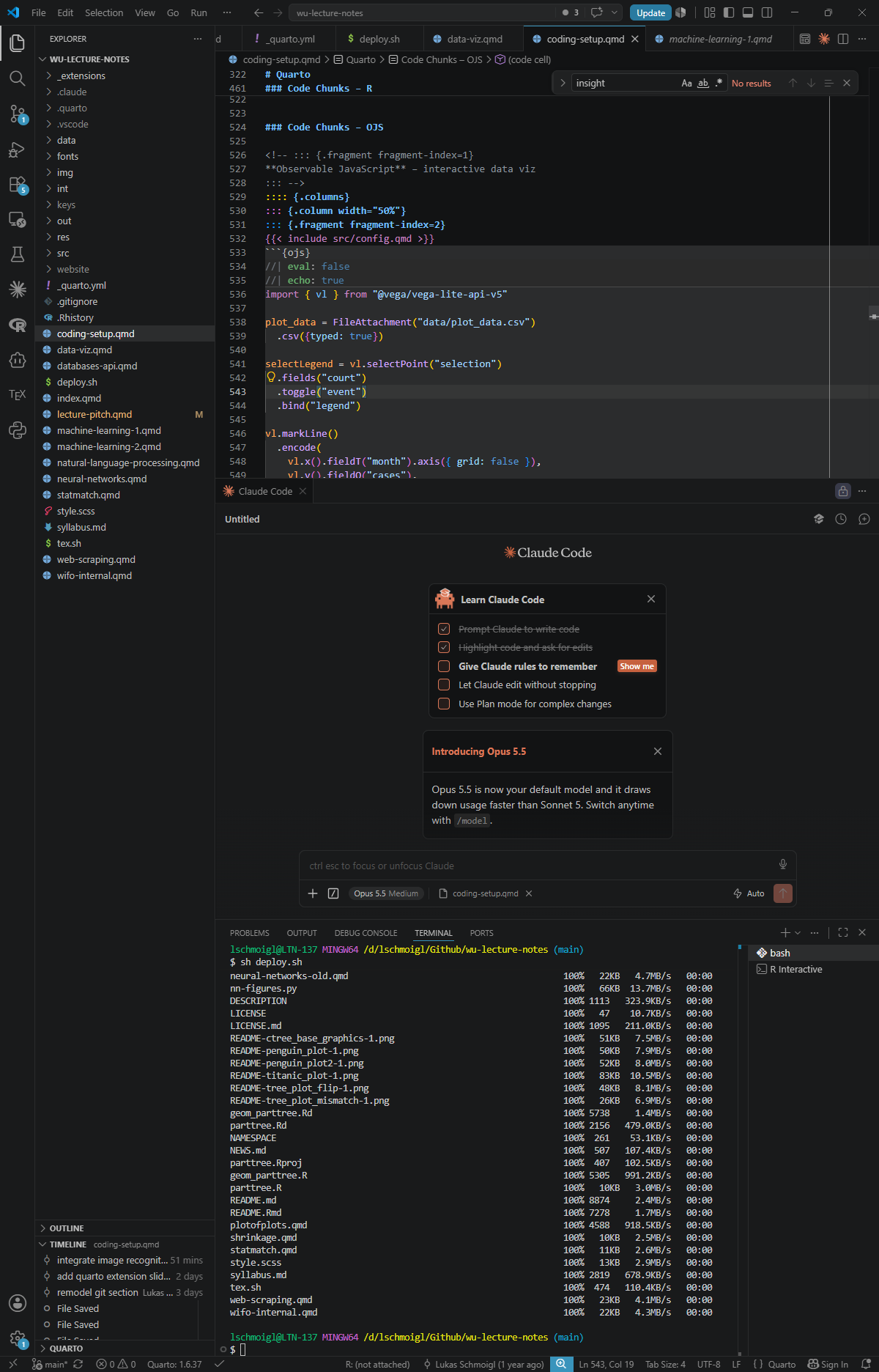
})import { vl } from "@vega/vega-lite-api-v5"
plot_data = FileAttachment("data/plot_data.csv")
.csv({typed: true})
selectLegend = vl.selectPoint("selection")
.fields("court")
.toggle("event")
.bind("legend")
vl.markLine()
.encode(
vl.x().fieldT("month").axis({ grid: false }),
vl.y().fieldQ("cases"),
vl.color()
.fieldN("court")
.legend({ orient: "top", title: null }),
vl.opacity()
.if(selectLegend, vl.value(1))
.value(0),
)
.params(selectLegend)
.data(plot_data)
.config(config)
.render({ renderer: "svg" })import { vl } from "@vega/vega-lite-api-v5"
plot_data = FileAttachment("data/plot_data.csv")
.csv({typed: true})
selectLegend = vl.selectPoint("selection")
.fields("court")
.toggle("event")
.bind("legend")
vl.markLine()
.encode(
vl.x().fieldT("month").axis({ grid: false }),
vl.y().fieldQ("cases"),
vl.color()
.fieldN("court")
.legend({ orient: "top", title: null }),
vl.opacity()
.if(selectLegend, vl.value(1))
.value(0),
)
.params(selectLegend)
.data(plot_data)
.config(config)
.render({ renderer: "svg" })Interactivity I
It gets funky with Quarto and inline code cells
Interactivity II
It gets funkier with the Quarto and the Observable runtime and standard library
Interactivity III
It gets even funkier with Observable and some data viz
Quarto Extensions
- Closeread — scrollytelling for HTML documents
- Quarto Live — R and Python running in the browser via WebAssembly
- Reveal.js — plugins for presentations like this one
- All Extensions — the full directory, by category
